Posts

Showing posts with the label SharePoint

SharePoint 2016 : What is MinRole

Image
What is MinRole? By using the new MinRole feature in SharePoint Server 2016, SharePoint farm administrators can define each server’s role in a farm topology. The role of a server is specified when you create a new farm or join a server to an existing farm. SharePoint automatically configures the services on each server based on the server's role, and the performance of the farm is optimized based on that topology. Here are six predefined server roles you can choose from in SharePoint Server 2016. Read more about the roles and their descriptions in the following table: Server role Description Front-end Service applications, services, and components that serve user requests belong on Front-end web servers. These servers are optimized for low latency. Application Service applications, services, and components that serve backend requests (such as background jobs or search crawl requests) belong on Application servers. These servers are optimized for high throug...


Sharepoint Content hub rollback script v1.0

Image
Content Hub Publishing : Sharepoint content hub publishing can be tedious some times with some of the following issues : 1. Content type publishing fails with the pre-import check on the existing sitecolumns 2. Cleaning up of the published content types 3. Rolling back to the previous stage Content Hub cleanup solution : Recently , I surfaced the above issues in implementing few content types in a content hub. It took  hours of tiresome troubleshooting on the content hub, ULS and content type error log. Finally, the issues have been resolved with loads of powershell scripts. I have posted the scripts in codeplex in thought of helping someone having the similar issues.  The scripts are free to download and availale at the following link : https://rajesh.codeplex.com/releases/view/616417 Hope it helps someone out there. Happy Sharepointing!

Information Architecture in Sharepoint 2013

Image
Information Architecture Information architecture determines how the information in that site or solution—its webpages, documents, lists, and data—is organized and presented to the site’s users. Information architecture is often recorded as a hierarchical list of content, search keywords, data types, and other concepts. Ways to improve the organization's information architecture efficiencies Use metadata to make it easier to search for and compare related data or content. Manage versions and records to ensure that you can tell which is the authoritative version of a document. Catalog and store information properly so decision-makers can find and rely on the right data. Design navigation and present information so that users can find important sites and information. Integrate your information architecture with your environment's search strategy, so your users can find the right information. Information architecture includes the wireframe and site map, search an...

Sharepoint : Top Blogs to follow

http://www.collabshow.com/ http://www.sharepointpals.com/ http://sharepointr.blogspot.sg/ http://sharepointpromag.com/ http://sympmarc.com/ http://www.ashokraja.me/tools/ http://absolute-sharepoint.com/ http://blog.pathtosharepoint.com/ http://sharepoint-blog.com/ http://sharepoint-community.net/profiles/blog/list http://sharepoint-community.net/page/top-blogs https://www.collaboris.com/blogs/how-to-sharepoint http://www.harbar.net/ http://zimmergren.net/ http://sharepoint.asia/ http://www.keremozen.com/ http://davecoleman146.com/ http://o365.technology/ http://veroniquepalmer.com/ http://www.jeremythake.com/ http://www.sharepointnutsandbolts.com/ http://www.sharenotes.pro/ http://wendy-neal.com/ http://www.jeremythake.com/ http://www.cleverworkarounds.com/ http://www.pointbeyond.com/ http://veroniquepalmer.com/ http://blog.pentalogic.net/ http://joelblogs.co.uk/ http://thuansoldier.net/ http://www.toddklindt.com/blog/default.aspx http://spsite.pro/...

What's new in Sharepoint 2016

Image
Microsoft confirmed that SharePoint Server 2016 will become generally available in Q2 2016, with a public beta planned for Q4 2015. What to expect in 2016? On-premises support will be around for the foreseeable  future. Continued support on combination of on-premises, cloud and hybrid deployments for many years to come. Microsoft is moving more to a cloud-based identification model with SAML and OAuth Nondefault ports can be used for connection encryption, rather than just using Port 25 Site creation is no longer a "heavy operation" but now will be "small and fast" Project Server will be integrated into SharePoint content databases (although you don't get it for free) Microsoft will make "durable links" for finding files so that it won't matter if the file name gets changed or if the file gets moved Microsoft is adding an ODF file saving capability Improved user experiences Cloud-inspired infrastructure Compliance and reporting...

SharePoint : OOTB feature to display the list of sites that the current user has access

Image
Recently there was a request from a user to display the list of sites where the user has access rights. It took a while to figure out how to get it work. Here is how it was done : Add Search core results webpart. To display the all the sites that the current user has access : In the results query option -> Fixed Keyword Query  add the following : contentclass:STS_Site To filter few sites from the the sites that user can access : contentclass:STS_Site NOT (path:http://yoursite1/* AND path:http://yoursite2/*) To display specific sites if the user has access : contentclass:STS_Site AND (path:http://yoursite1/* OR path:http://yoursite2/*) Knowledge is for sharing.. Keep sharing.. and keep growing

PowerShell Scripts for Sharepoint 2010 & 2013

Image
Here are some useful Sharepoint PowerShell scripts  : Create a site  New-SpWeb "http://sp2010/Site1" -Name "Site 1" -template "STS#0" Delete a site Remove-SPWeb "http://sp2010/Site1" -Confirm:$false Create a List $web=get-spweb -Identity "http://sp2010/Site1" $web.Lists.add(<List Name>,<List Description>,<List Template>) $list = $web.getList("http://sp2010/Site1/Lists/List1") $FieldType = [Microsoft.Sharepoint.SPFieldType]::Text $List.Fields.Add("Name",$FieldType,$false) Delete a List   $list = $web.getList("http://sp2010/Site1/Lists/List1") $list.delete() Add a list item $item=$list.items.add() $item["Title"] = "Your title here" $item.update() Update a list item $item = $list.getItemById(1) $item["Title"]="New Title" $item.update() Delete a list item $item = $list.getItemById(1) $item.delete() Export a list to ...

[Solution]: SharePoint Peoplepicker not displaying domain users

Image
I have configured peoplepicker for about more than 10 domains. All works fine except for a domain. There was no error and only message is that the "No results found" in the People picker search results. How People picker works? People picker sends a dns query to the domain controller to retrieve the AD details. How did i resolve this issue? I ran network monitor in all the DCs. Search for a user in people picker Go to the nework monitor logs and search for the name you searched in the people picker. That will give some idea, what went wrong. Additionally, search for the destination DC. Repeat this if you are connecting to AD domain through multiple DCs. In my case, there was no response from the destination DC, which was caused by firewall port. After the port was opened in destination DC to the AD domain, the issue was resolved. Hope this helped someone out there. Happy trouleshooting!

[Solution]:Sharepoint installation cant find SQL DB Server

Image
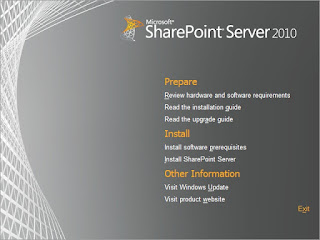
Today, the following command saved my day. EXEC xp_readerrorlog My SharePoint 2010 installation cant find the DB server. I was able to ping , tracert to the db server from my windows (SharePoint). The SQL server were running perfectly fine. My first suspect was the firewall. I disabled the servers firewall in both servers. This is fine to do because these are testing systems. But , my sharepoint installation still cant find the SQL server. After googling for few hours, i tried the above command to check which port was being used by the SQL service. The SQL service was using port 56033 ( i guess this because the dynamic port was set as 0 ). After i configure the TCP Port to 1433 and removed the dynamic port value, the SQL server start listening in 1433 and my SharePoint was able to find the SQL server now. Hope this helps someone out there. Happy troubleshooting!